From : https://www.dcard.tw/f/tech_job/p/238586417?fbclid=IwAR2K0IMRpfuDvwwJV9ahFNPAioy6_MEaF8wAH13YDPUj27yRYTKcZSv_ri8
-------------------------------------------------
Foxbrush 發表在 痞客邦 留言(0) 人氣(28)
Refs:
- https://superuser.com/questions/117642/open-up-3-terminals-run-different-commands-from-all-for-each-of-them-to-set-up
Foxbrush 發表在 痞客邦 留言(0) 人氣(321)
From: https://medium.com/sean3z/debugging-mobile-apps-with-mitmproxy-4596e56b3da2-------------------------------------------------------------
Debugging Mobile Apps with mitmproxy
Ever wonder
exactly what network connections your favorite mobile app is making? In this small walkthrough, we’ll use mitmproxy to gain insight into how some of our favorite mobile apps work.
Before getting started though, it’s worth mentioning that there are plenty of other tools that allow use to do the same; such as:
Fiddler and
Charles Proxy. I prefer mitmproxy for it’s simplicity. Fiddler is a close second as it provides far more rich network details (and Websocket frame inspection 👍)
Prerequisites:
A mobile device connected to same network as your proxy PCmitmproxy — https://mitmproxy.org/mitmproxy
This is what we’ll use to proxy information from our mobile device to our PC. mitmproxy is available for most devices: iPhone, Android and Windows phone on macOS, Windows and linux. For our example, we’ll be using an Android device on macOS Sierra.
Installation:
$ brew install mitmproxy
Usage:
$ mitmproxy
On mac, it couldn’t be much simpler to install and use. However, on Windows, you’ll need to use the
mitmweb client.
Once you invoke
mitmproxy, you should see a black screen in your terminal like the image above.
In order to use this proxy though, we’ll need to make a small configuration change on our mobile device. But before doing so, we’ll want to obtain our PC’s IP address by using
ifconfig (or
ipconfig for Windows).
Foxbrush 發表在 痞客邦 留言(0) 人氣(23)
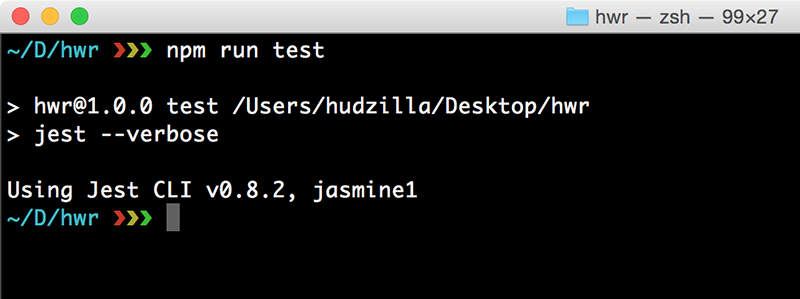
From: http://www.hackingwithreact.com/read/1/32/how-to-configure-jest-to-test-react-and-es6
--------------------------------------
Foxbrush 發表在 痞客邦 留言(0) 人氣(48)
1. dos2unix # CRLF to LF, requiring installation of dos2unix
2. unix2dos # LF to CRLF, requiring installation of dos2unix
Foxbrush 發表在 痞客邦 留言(0) 人氣(10)
In Mac:
# Go to ~/Library/Application\ Support/Sublime\ Text\ 2/Packages
# Find .tmLanguage file. For javascript, find javascript.tmLanguage
Foxbrush 發表在 痞客邦 留言(0) 人氣(5)
From: https://www.leaseweb.com/labs/2013/08/git-tip-show-your-branch-name-on-the-linux-prompt/
------------------------------------------------
Foxbrush 發表在 痞客邦 留言(0) 人氣(19)
From:
- http://stackoverflow.com/questions/3819449/how-to-uninstall-python-2-7-on-a-mac-os-x-10-6-4
Foxbrush 發表在 痞客邦 留言(0) 人氣(165)
From:
- http://askubuntu.com/questions/466651/how-do-i-use-the-latest-gcc-4-9-on-ubuntu-14-04
Foxbrush 發表在 痞客邦 留言(0) 人氣(10)

From: http://www.leveluplunch.com/blog/2014/05/20/bower-...
---------------------------------------------------------------
Foxbrush 發表在 痞客邦 留言(0) 人氣(7)

